
This guide focuses specifically on operational automation — the tools that run the front desk, the scheduling calendar, the documentation workflow, and the billing cycle — rather than clinical decision-support or diagnostic AI, which is a different category with a different risk profile and a different regulatory bar. The tools below are grouped by the part of a medical office's workflow they actually address, since almost no practice needs all of them at once, and the right starting point depends entirely on where the administrative burden is heaviest in your own operation.
One note before diving in: pricing, integration depth, and feature sets in this space change quickly, and several of the categories below are consolidating fast as vendors expand beyond their original niche. Treat the details here as a starting point for a shortlist, not a final answer, and confirm current terms — especially HIPAA compliance and Business Associate Agreement (BAA) availability — directly with any vendor before rolling out to real patient data.
Why Medical Office Automation Is a Distinct Category
Generic business automation tools exist for a reason, and plenty of medical practices use them successfully for non-clinical tasks — internal scheduling, marketing emails, vendor coordination. The complication is that a large share of what a medical office actually does touches protected health information (PHI), and PHI carries a compliance requirement that most general-purpose automation platforms simply weren't built around: a signed Business Associate Agreement under HIPAA.
This matters more than it might seem at first glance. A workflow automation platform that's excellent at connecting apps and moving data between systems can still be the wrong choice for anything that touches patient records if it won't sign a BAA — using it for that purpose creates real compliance exposure regardless of how good the tool is technically. This is the first filter to apply to any tool on this list: does it explicitly support HIPAA-covered workflows, and will the vendor put that in writing, not just in marketing copy.
Patient Intake, Scheduling, and Front-Desk Communication
The front desk is usually where administrative pain is most visible, because it's the point where patients directly experience the friction — long hold times, paper clipboards, phone tag over rescheduling. It's also usually the easiest place to start with automation, since the workflows are well-defined and the return on investment shows up quickly in reduced no-shows and reduced phone volume.
Phreesia has become one of the standard references in this category, particularly for practices and specialty groups that want intake, registration, scheduling, eligibility verification, and payment collection handled as a single connected workflow rather than several disconnected tools. Its strength is depth: patients can complete registration and clinical intake before they arrive, eligibility gets checked in real time rather than surfacing as a denial weeks later, and the platform integrates closely with existing practice management and EHR systems. The tradeoff is that it's built for that level of depth, which means it's a heavier implementation than a small practice with a narrow need might require.
Weave takes a different angle, positioning itself as a unified communications hub for the front desk — phones, two-way texting, appointment reminders, and digital intake forms in one interface, with patient context surfacing automatically when they call in. Weave's 2025 acquisition of TrueLark added an AI receptionist layer capable of handling scheduling and common patient questions over text and web chat without a staff member manually responding to each one, and the company has continued expanding that capability through 2026. For smaller practices where the phone is still the dominant communication channel, this tends to be a more approachable starting point than a full patient-access platform.
NexHealth and Luma Health occupy related but distinct positions. NexHealth pairs online booking and paperless intake with messaging and insurance verification, aimed at practices — including dental offices — that want front-office automation without a large platform commitment. Luma Health has moved further toward what it now describes as an operational AI layer spanning scheduling, referrals, waitlist management, and recall outreach, which makes it a stronger fit for organizations dealing with messy referral pipelines rather than a single-location practice with straightforward booking needs.
A newer and increasingly capable subcategory here is AI voice for the front desk specifically — tools like Phreesia VoiceAI, Notable Assistant, and Hyro that handle inbound calls conversationally: answering common questions, routing calls, and in some cases completing scheduling changes without a staff member picking up. Syllable and Infinitus tend to come up more often in enterprise health-system evaluations, where governance and call-handling reliability at scale matter more than setup speed. For a single practice or small group, these tools are usually evaluated against a much simpler question: how much phone volume can genuinely be deflected before a live person needs to step in, and does that volume justify the cost of a dedicated voice AI layer versus simply adding it as a module inside an existing intake platform.
AI Medical Scribes and Ambient Documentation
Clinical documentation sits at the boundary between clinical work and office operations, but it belongs on this list because of what it does to staff time and clinician throughput — and because it's arguably the fastest-growing category in healthcare AI right now. Ambient AI scribes listen to (or transcribe from) the patient encounter and generate a structured clinical note automatically, cutting the hours physicians spend charting after their last patient has already left.
Abridge and Microsoft Dragon Copilot — the rebranded successor to Nuance DAX, following Microsoft's acquisition of Nuance — are generally considered the two most established options for larger, Epic-heavy health systems, both with deep native EHR integration and large-scale enterprise deployments behind them. Abridge in particular has expanded beyond note generation into adjacent areas like coding and prior authorization support, which is a pattern showing up across this category more broadly: what started as a documentation tool is increasingly becoming a broader clinical workflow layer.
For independent practices and smaller groups, the self-serve tier of this market has grown considerably more competitive. Suki has been in continuous clinical use longer than most competitors and differentiates itself by supporting voice commands mid-visit — pulling up patient history or staging orders by voice rather than only passively transcribing. Freed and Heidi Health have positioned themselves around fast setup and transparent, low monthly pricing aimed at solo practitioners and small clinics that don't want an enterprise sales process to get started, and both have been expanding into adjacent front-desk and clinical-support features as the product category itself broadens.
Whichever scribe you evaluate, the two questions worth asking before anything else are whether the vendor will sign a BAA on your specific plan tier — free and entry-level tiers are inconsistent on this point across the category — and whether patient audio and generated notes are used to train the vendor's models, since some contracts allow this by default unless a practice explicitly opts out.
Revenue Cycle, Billing, and Prior Authorization Automation
If patient intake is where administrative pain is most visible, revenue cycle management is usually where it's most expensive. Manual coding errors, delayed claims, and prior authorization backlogs directly reduce a practice's collected revenue, often in ways that aren't obvious until someone actually audits the gap between billed and collected amounts.
Waystar is one of the more established platforms in this space, offering end-to-end revenue cycle tools spanning eligibility verification, automated prior authorization, claims monitoring, and patient payment collection, used across practices of very different sizes from independent physician groups to large hospital systems. Its scale and payer connectivity are a genuine advantage, though the flip side is that implementation for a smaller practice can involve more setup than a narrower, purpose-built tool would.
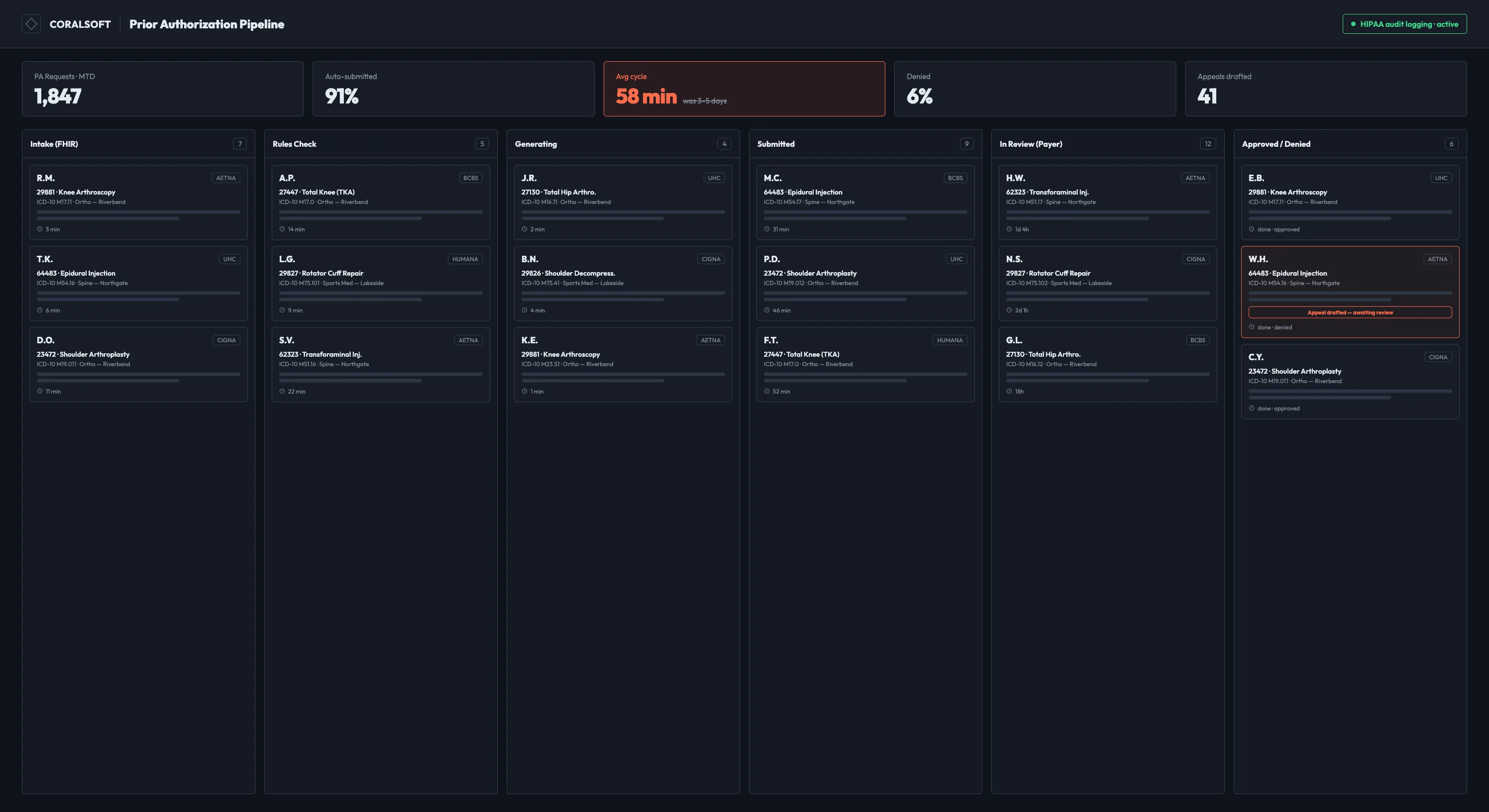
AKASA represents a more recent, generative-AI-native approach to the same problem space, with a specific focus on prior authorization and coding automation that's designed to sit on top of an existing EHR rather than replacing it. Its architecture leans on a human-in-the-loop model — automating high-confidence cases while escalating exceptions to staff — which tends to appeal to organizations wary of fully autonomous billing decisions on complex cases. CodaMetrix occupies similar territory with a focus on autonomous coding, and both tend to show up on shortlists for hospitals and larger groups with varied payer mixes, more than for a small independent practice.
For smaller and mid-size practices already running an all-in-one practice management and EHR platform, it's often more practical to evaluate the AI billing and prior-authorization modules built into that existing system before adding a separate specialized vendor — the coordination overhead of running several disconnected billing tools tends to erase a meaningful share of the efficiency gains any one of them individually provides.
General-Purpose Automation for Non-Clinical Back-Office Work
Not every workflow in a medical office touches patient data. Internal scheduling for staff, vendor and supply ordering, marketing email sequences, and general administrative task tracking are all reasonable candidates for general-purpose automation platforms like Zapier or Make, which offer far more flexibility and lower cost than healthcare-specific tools, precisely because they aren't built around HIPAA compliance in the first place.
That last point is the one to hold onto carefully. As of 2026, platforms like Make don't publish a HIPAA compliance program or offer BAAs, which makes them a reasonable fit for internal operations and marketing automation that never touches PHI, and a genuinely risky choice for anything that does. The practical approach that works well for a lot of practices is drawing a clean line during setup: PHI-touching workflows go through a healthcare-specific, BAA-covered platform, and everything else — the workflows that are functionally identical to what any small business automates — runs through a general-purpose tool at a fraction of the cost.
Emerging Category: Unified Agentic Platforms
A pattern worth watching, rather than necessarily adopting immediately, is the rise of platforms that bundle several of the categories above — scribing, coding, front-desk automation, triage — into a single orchestration layer instead of requiring a practice to stitch together five or more separate vendors. Kore.ai's HealthAssist targets large health systems and payers with omnichannel patient and payer-facing workflows across voice, SMS, and chat, built for enterprise-scale deployment with the compliance certifications that scale requires. Sully.ai takes a similar bundling approach aimed at a somewhat broader range of practice sizes, combining scribe, coder, receptionist, and triage functions on top of an existing EHR connection.
The argument for this category is straightforward: most small-to-midsize practices today are running somewhere between eight and twelve separate point tools, each with its own login, its own contract, and its own support team, and when something breaks it's often unclear which vendor actually owns the problem. A single orchestration layer reduces that fragmentation. The argument against moving too quickly here is equally straightforward: this is a young and rapidly consolidating part of the market, enterprise contract pricing is common rather than transparent self-serve pricing, and betting an entire operation on one vendor's roadmap carries more risk than adding tools incrementally as specific pain points justify them.
How to Actually Choose Between These Tools
With this many categories and vendors, the temptation is to look for a single "best" answer. There isn't one — the right tool depends entirely on where your practice's administrative burden actually concentrates, and on constraints (practice size, existing EHR, in-house IT capacity) that vary enormously from one office to another.
A useful way to work through the decision is to start by identifying the single workflow costing the most staff time or the most lost revenue right now, rather than trying to solve every category simultaneously. A practice drowning in phone volume gets more value from a front-desk communication tool in month one than from a sophisticated billing platform it won't have staff time to properly implement. A practice with clean scheduling but a documentation backlog is better served starting with an ambient scribe.
From there, a short, consistent evaluation checklist tends to catch most of the expensive mistakes before a contract is signed:
- Confirm HIPAA compliance and BAA availability in writing for the specific plan tier you're evaluating, not just the vendor's top-tier enterprise plan.
- Check EHR and practice management system integration directly against what you currently run — a tool that claims broad EHR support may have shallow, read-only integration with your specific system rather than the two-way write-back you actually need.
- Ask what happens to patient data used by the tool, specifically whether it's used to train the vendor's models by default, and whether that's something you can opt out of.
- Run a real pilot on a subset of patients, appointment types, or claim types before a full rollout, and define the success metric — call deflection rate, no-show reduction, denial rate change, minutes saved per note — before the pilot starts rather than deciding afterward whether the results counted as a win.
- Weigh the cost of adding one more vendor and one more login against the efficiency gained, since coordination overhead across too many disconnected tools is itself a real and often underestimated cost.
Conclusion
The administrative load in a medical office is large enough, and repetitive enough, that meaningful automation is now realistic for practices of almost any size — not just large health systems with dedicated IT teams. The tools that deliver real value tend to share a few traits regardless of category: clear, verifiable HIPAA compliance rather than compliance language buried in marketing copy, integration that actually reaches into the systems a practice already depends on, and a scope narrow enough to solve one specific, well-defined workflow well rather than promising to fix everything at once. Starting with the single workflow causing the most pain, piloting deliberately, and expanding from there tends to produce far better outcomes than trying to automate an entire practice's operations in one leap.